

Assassin’s Creed: Bloodlines is a spin-off of the Assassin’s Creed franchise, it was released on Playstation Portable and its story is a continuation of the original Assassin’s Creed.
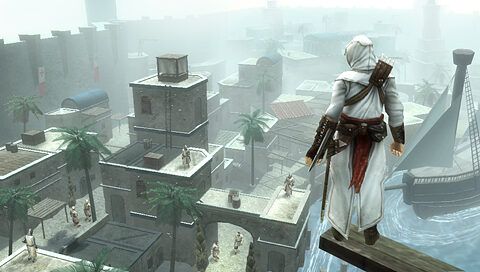
What makes AC Bloodlines impressive is the fact that it’s gameplay-wise almost identical to the original game, the graphics don’t look as good and playable areas are smaller because of the hardware limitations of the PSP, and the controls had to be adjusted to work without right stick and R2 and L2, but other than that it’s the AC 1 gameplay experience in your pocket.
You can freely move around the maps, fight or flight when you encounter enemies in free roam. Use stealth, attack right away with your sword, or even use throwing knives, it’s up to you.
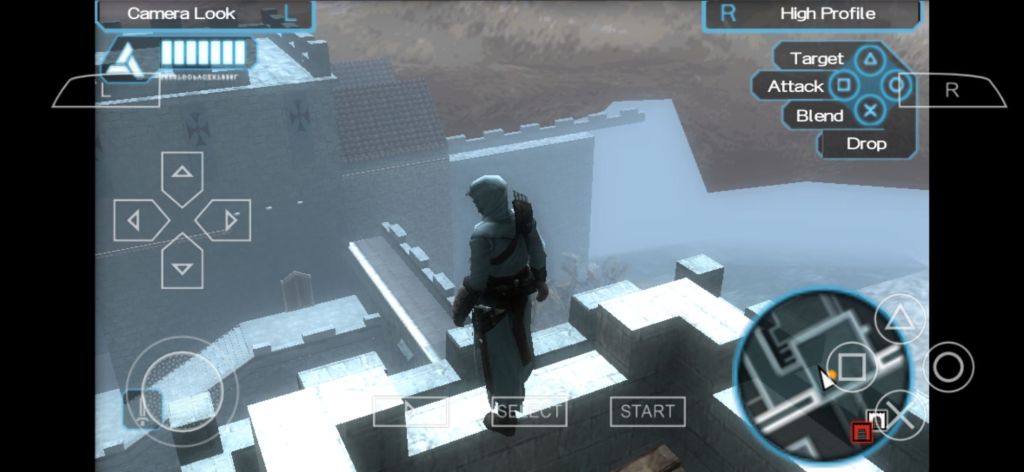
You can play the game without having played AC1, it’s no problem, you will understand enough of what is going on to enjoy it.
PROS
- AC1 gameplay but portable
- can be played with on-screen controls or gamepad
CONS
- clunky camera
PSP Emulator
I recommend using PPSSPP emulator to play this game, it’s the best available PSP emulator, most others are just this one with different icon and forced ads, while this one is completely free (you can buy gold version to support the developer but they’re the same)
the following informations are copied from the GTA:VCS and LCS review as the setup process is exactly identical
The emulator supports a lot of menu languages, choose the one that fits you. There is the “how can I get games?” button in the lower left corner, it will redirect you to the emulator’s site and explain how to dump your own copies of the games. If you don’t own the games you can search various internet archives and websites to find digital copies, but be very VERY careful if you do that and don’t click suspicious links. YOU HAVE BEEN WARNED.
After you get the game or games, tou want to move them to your desired folder. THE GAMES NEED TO BE IN .ISO FORMAT, OTHERWISE THEY WON’T WORK, YOU CAN UNPACK THEM WITH FILE MANAGERS. Make the folder wherever you see fit. I use Zarchiver file manager to do this, you can use any file manager you want, this one is just my personal favourite. Then you open the emulator and locate your games folder in it and play. You can use both touch controls and a gamepad, but gamepad is the better option.
 The Mobile Gamer
Leave a comment